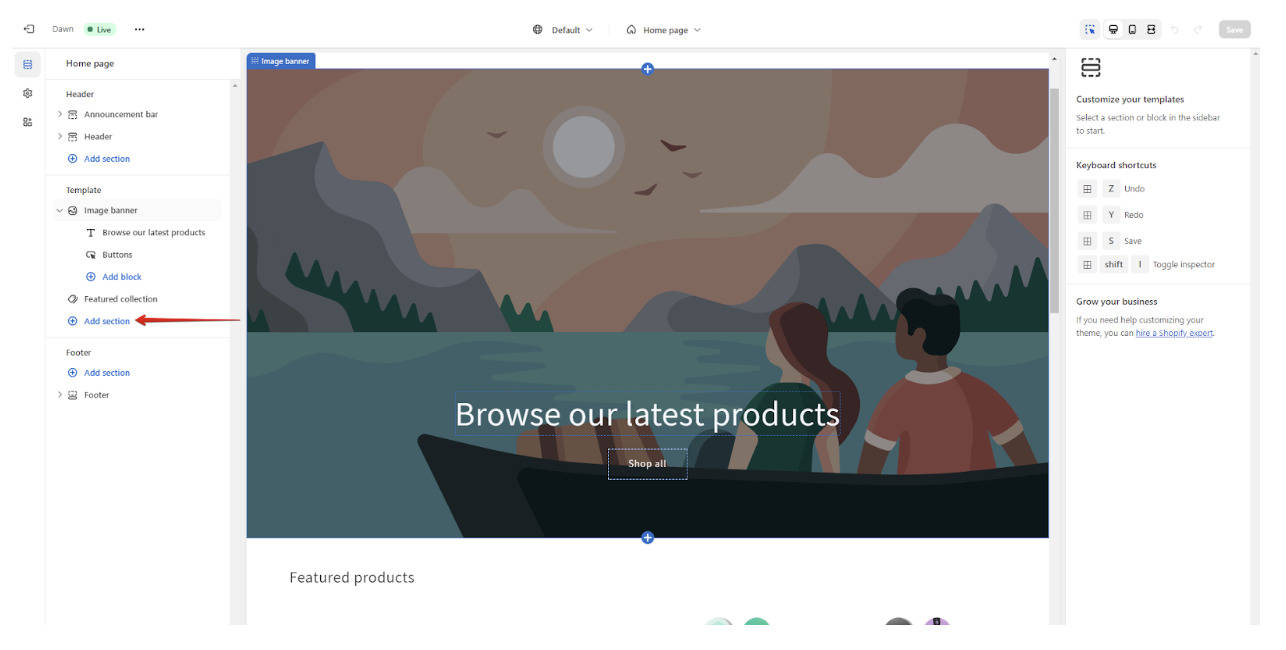
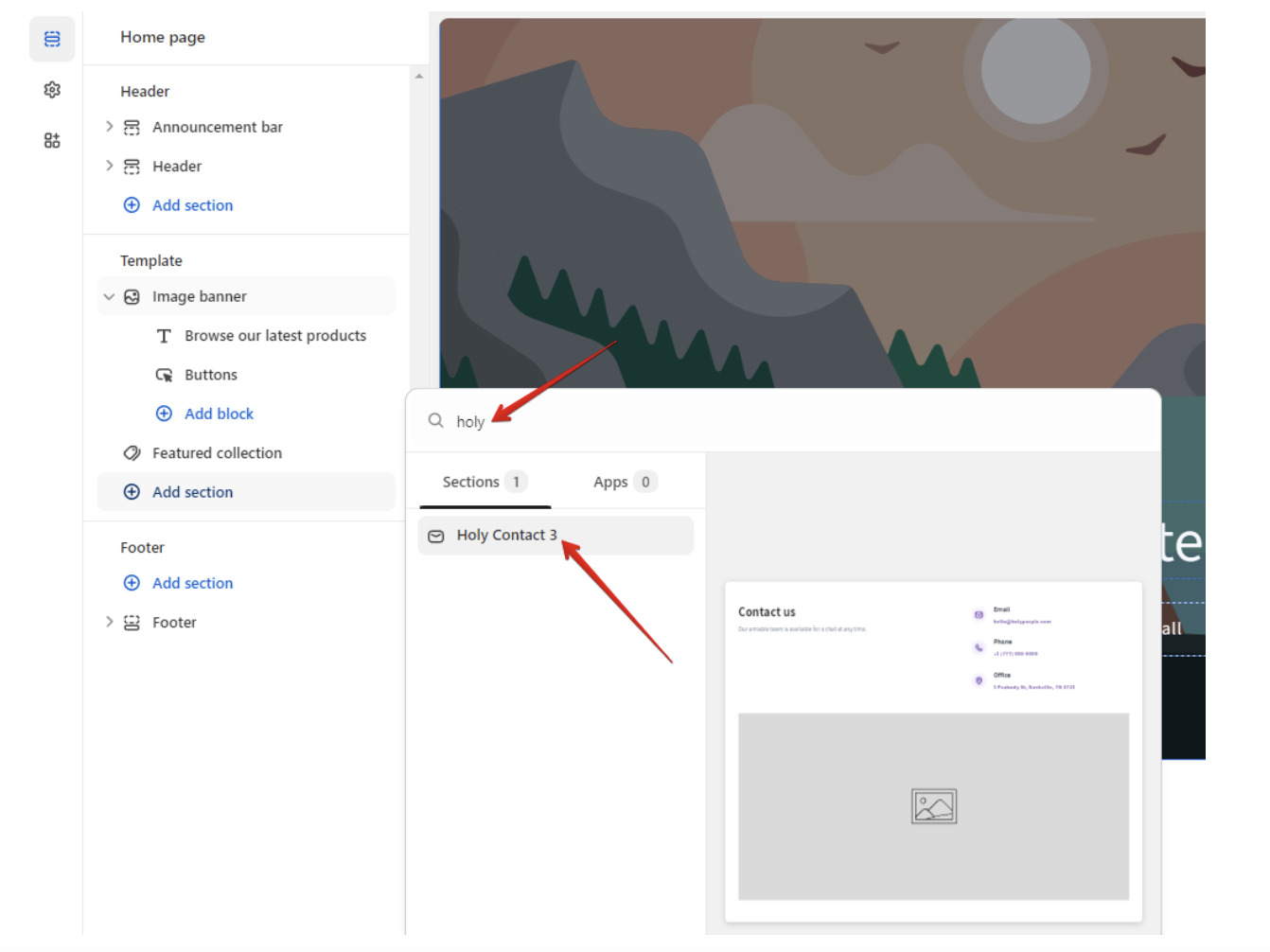
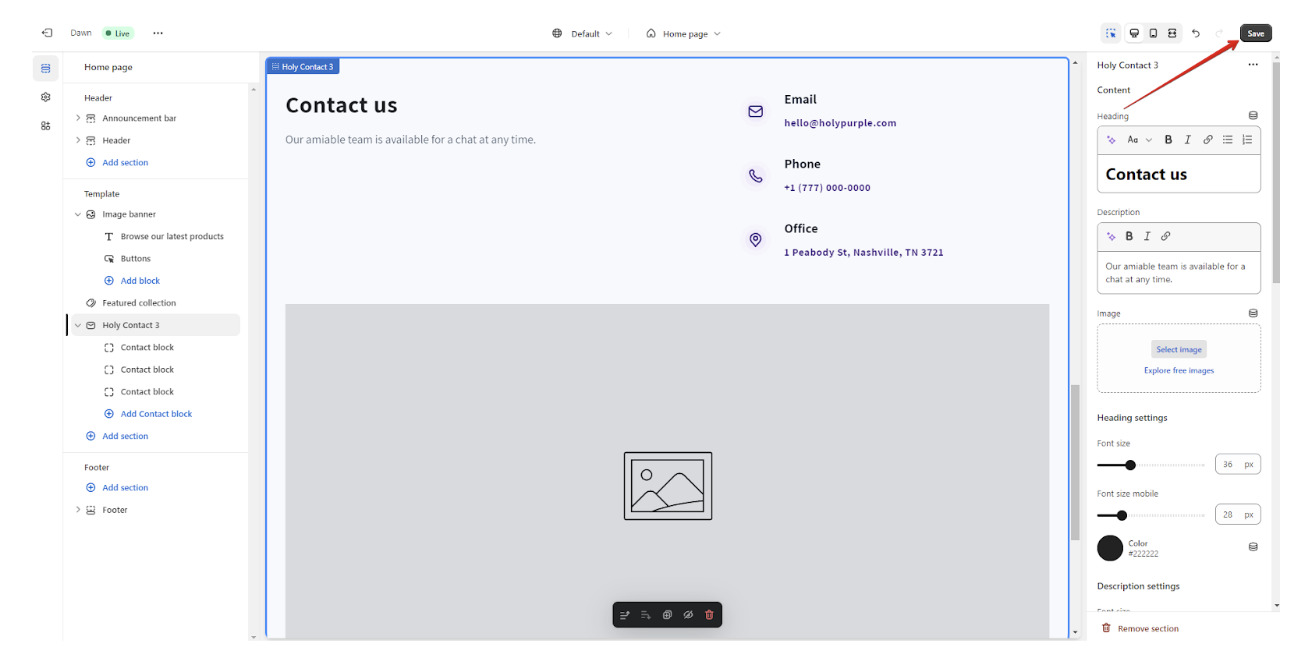
Once a section is added click on the section name to open the customizer and add the vibe of your website to the section.
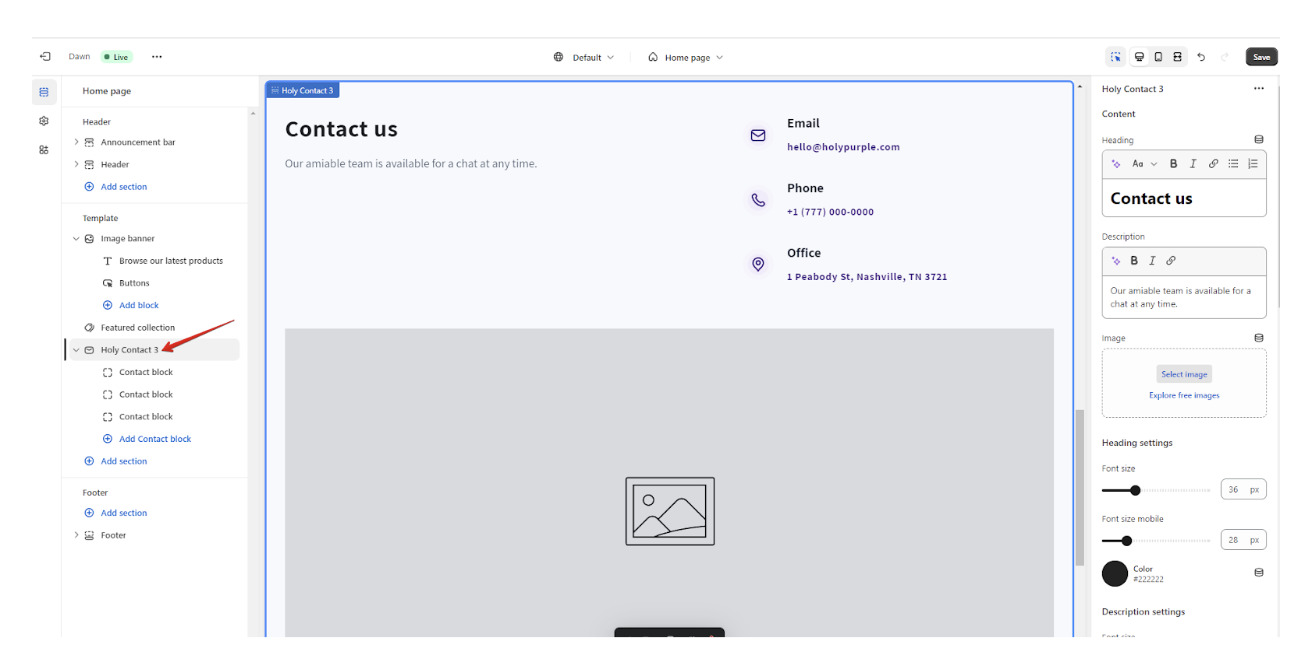
Please note that changes in some sections with interactive elements like sliders, dropdowns can be visible after saving them.
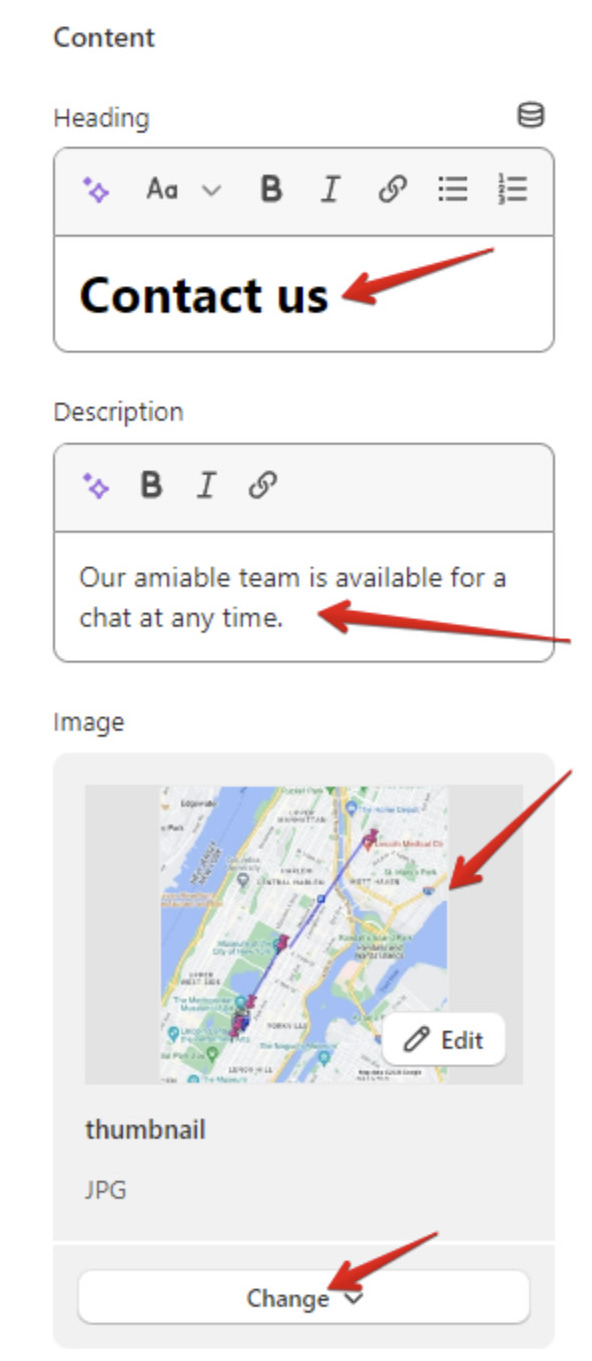
At the top change Content: add subtitle, heading, description, image, link, etc. (depends on section filling).
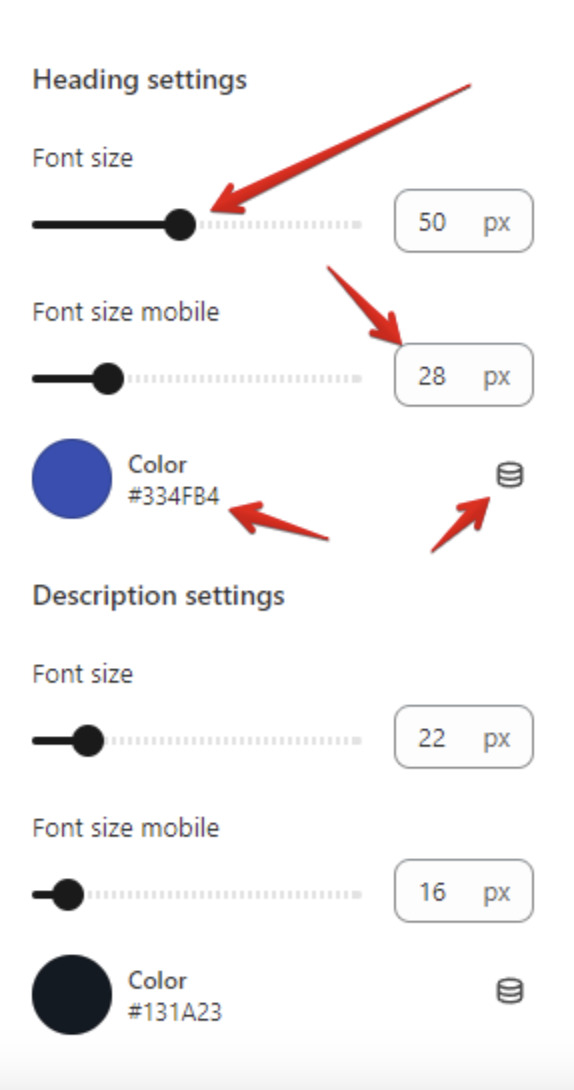
Customize content items in separate settings: modify font size, font size for mobiles, colors (can be selected with color picker or connected with dynamic source) etc.
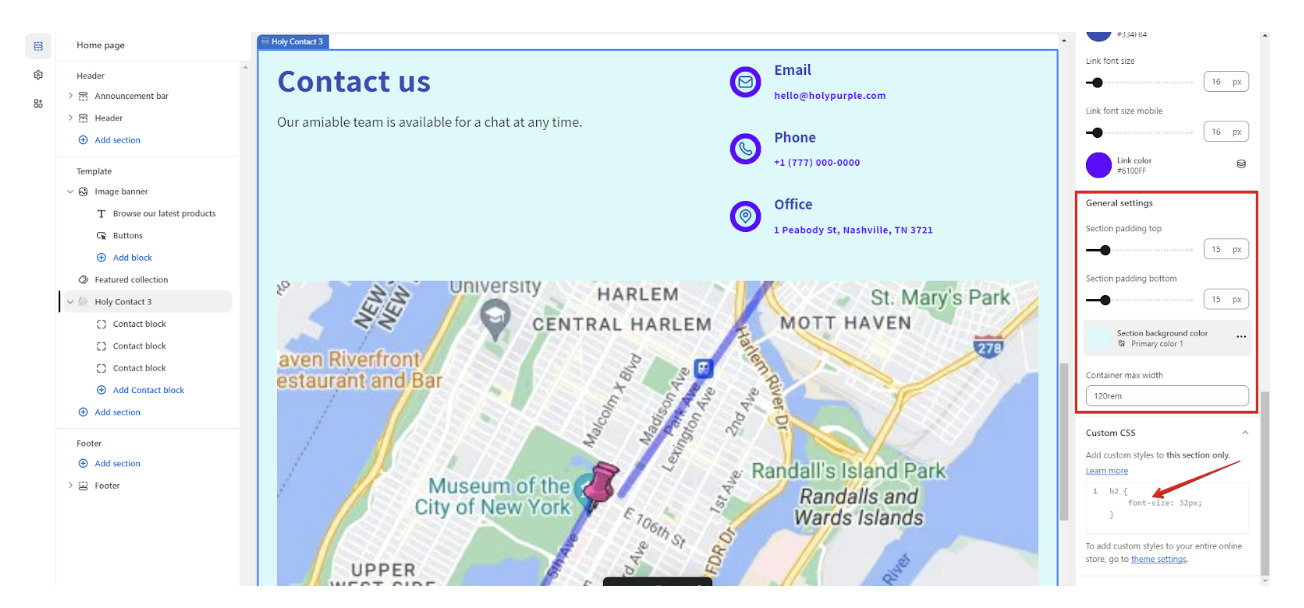
In "General settings" modify whole section styles and in "Custom CSS" add specific custom styles to this section only.
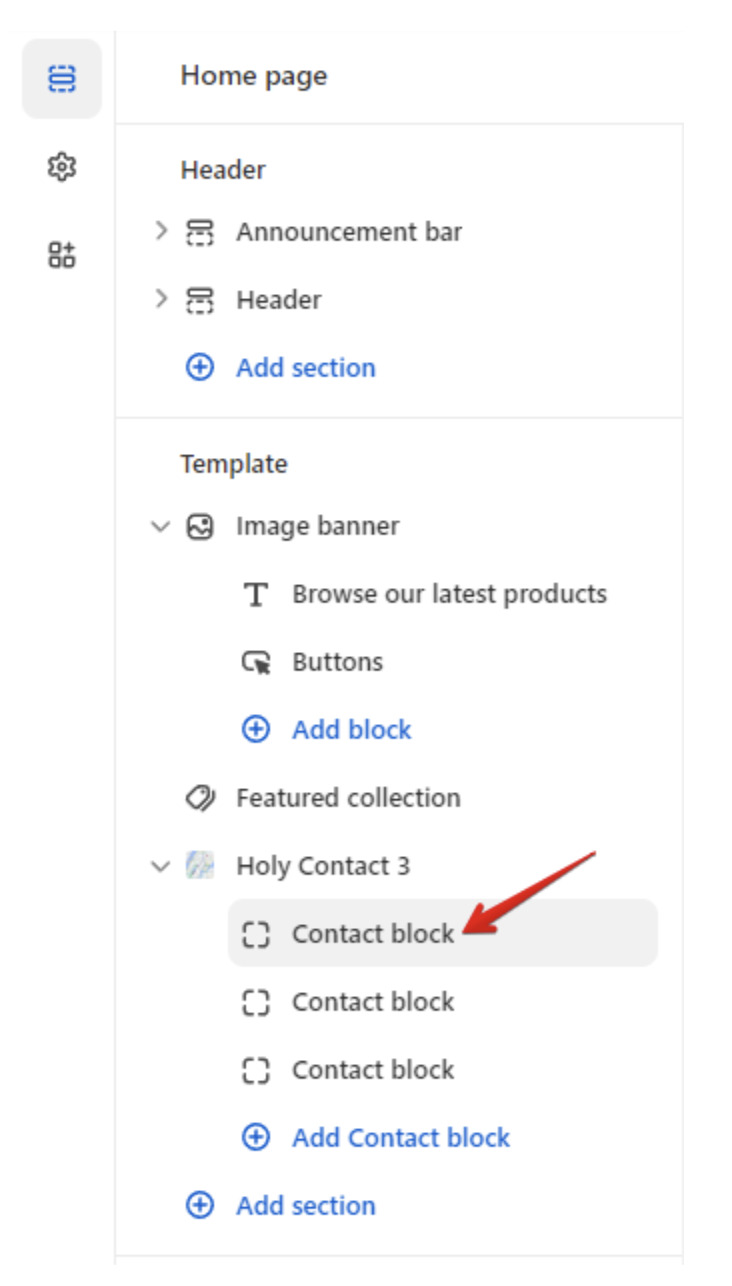
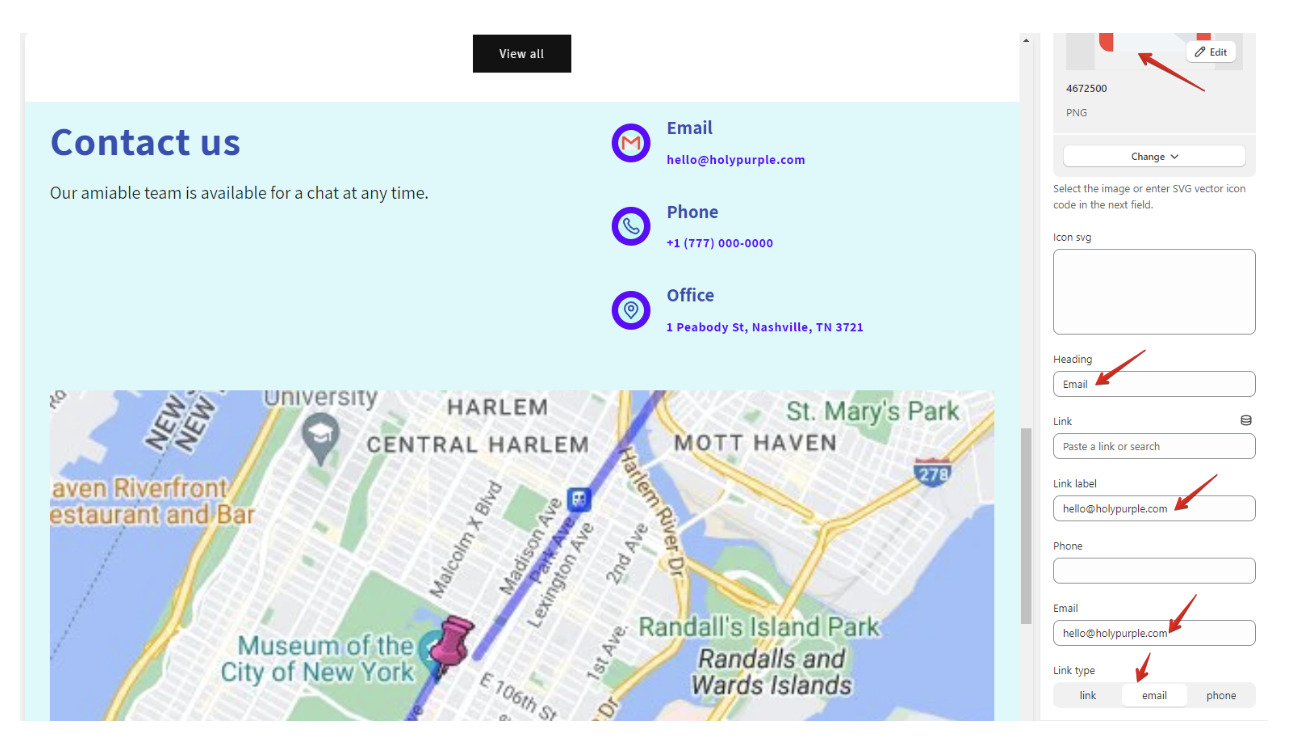
Click on every section block to change data there.
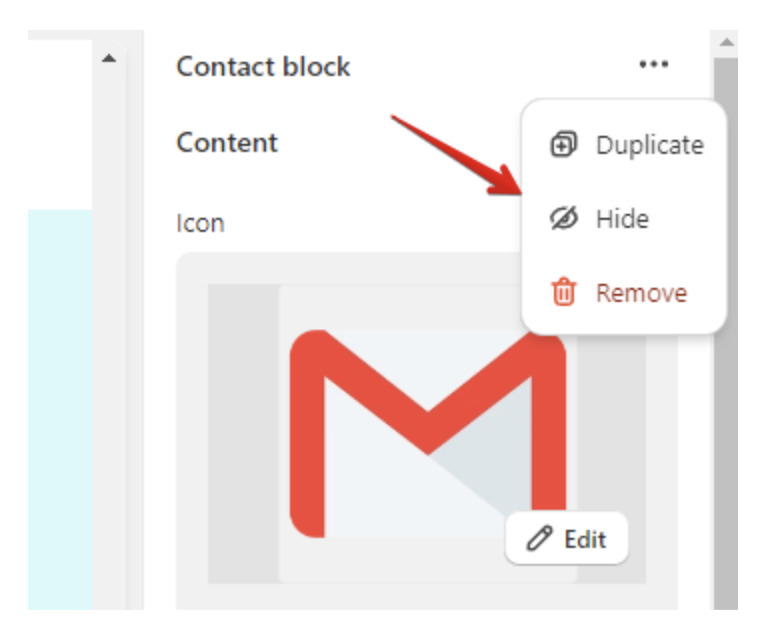
If you need add, hide or remove some block click on 3 dots in top right corner of the block and select option.
Check how it will look on mobiles, by clicking on mobile icon.

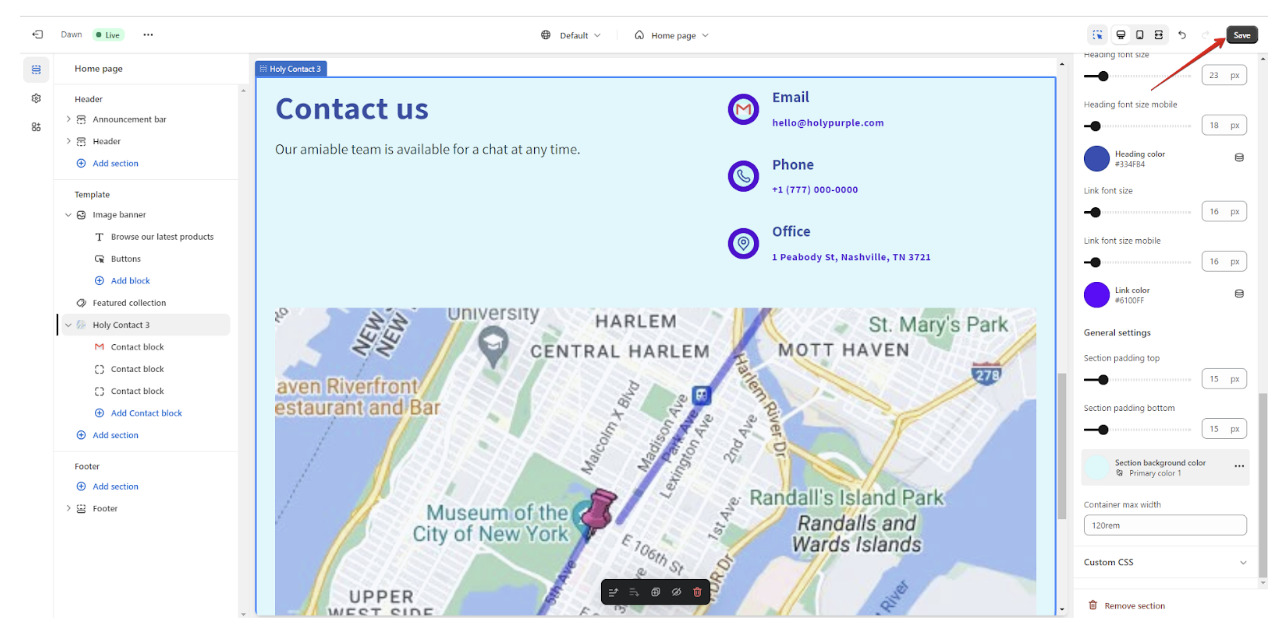
Once everything is up to you do not forget to click "Save" button to save your changes.
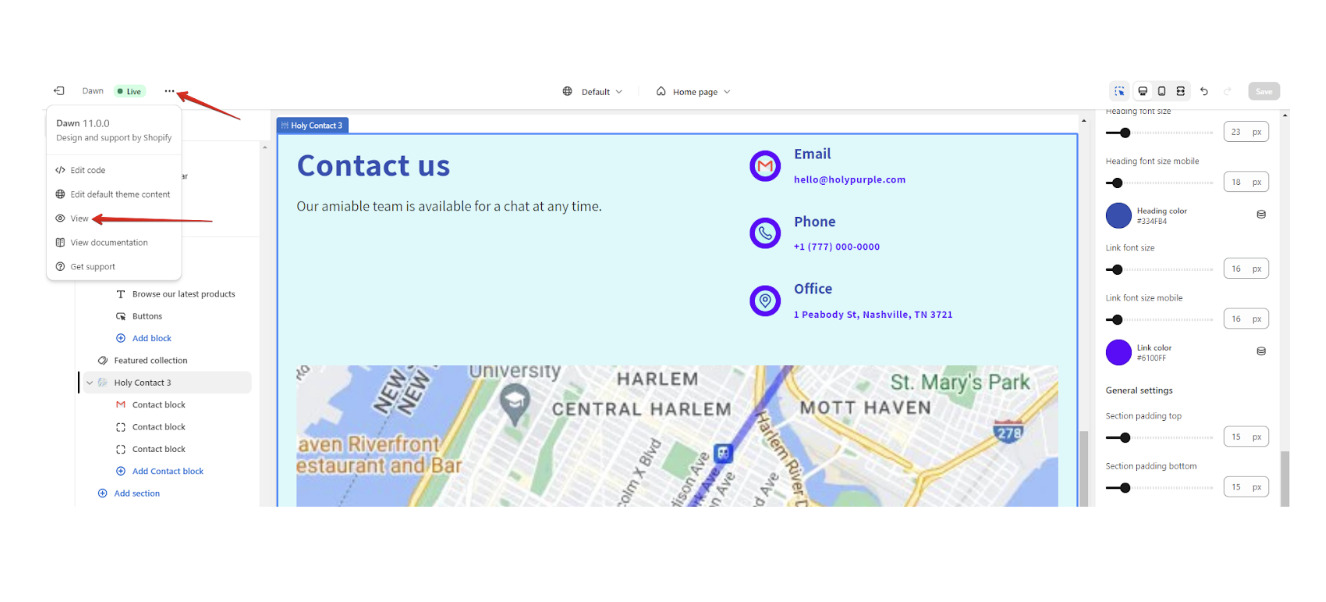
The last step is to check section on your store - click on 3 dots and choose "View".
If you can't find what you are looking for, please contact us, and we will be happy to help.